Allybot Lead Capture Mode Explained
This document details the functionality of Allychat.ai when Lead Capture Mode is turned on, how the visitor experience is managed, and the resulting actions once a lead is captured.
How Lead Capture Mode Works When Turned On
When Lead Capture Mode is enabled, AllyBot serves two primary functions simultaneously: answering visitor questions and strategically collecting key lead information.
The Conversational Flow
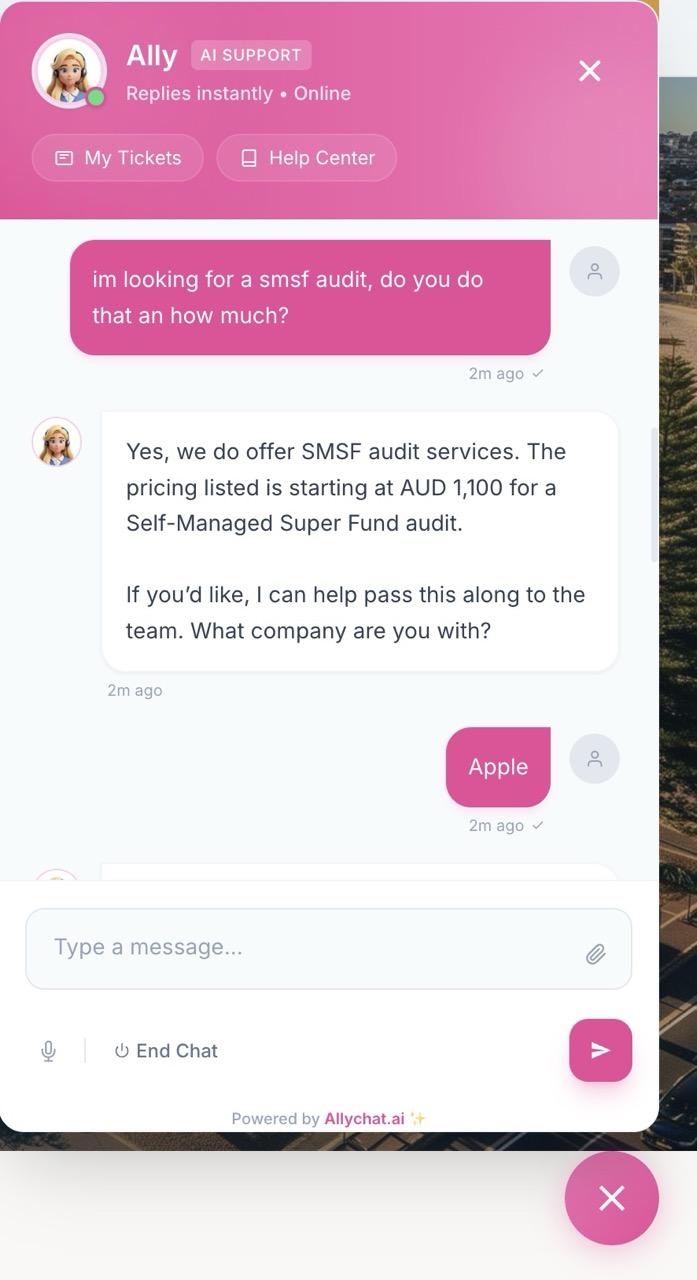
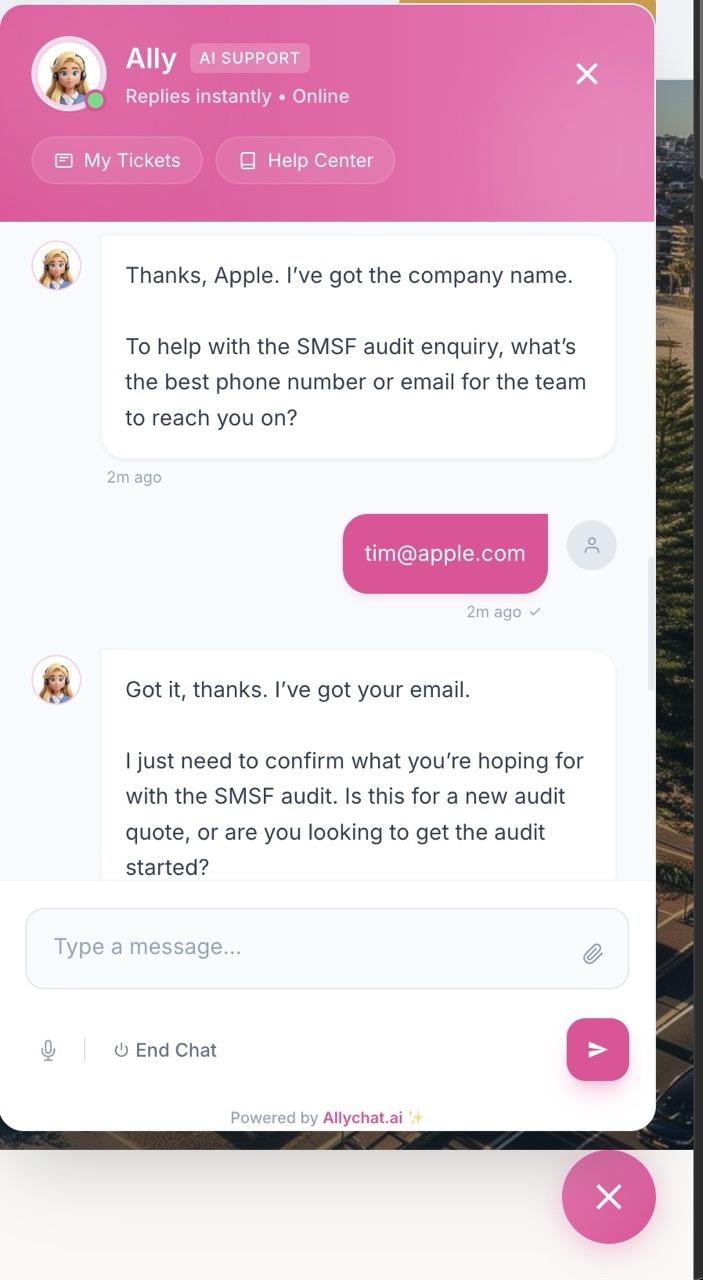
When a visitor initiates a chat, AllyBot answers their questions as usual while working to collect five specific pieces of information. This data is collected one item at a time, naturally woven into the conversational exchange.
The information is collected in a preferred order:
- Name — Asked first if this information is not already known.
- Email — Asked next.
- Company — The visitor's company or organization.
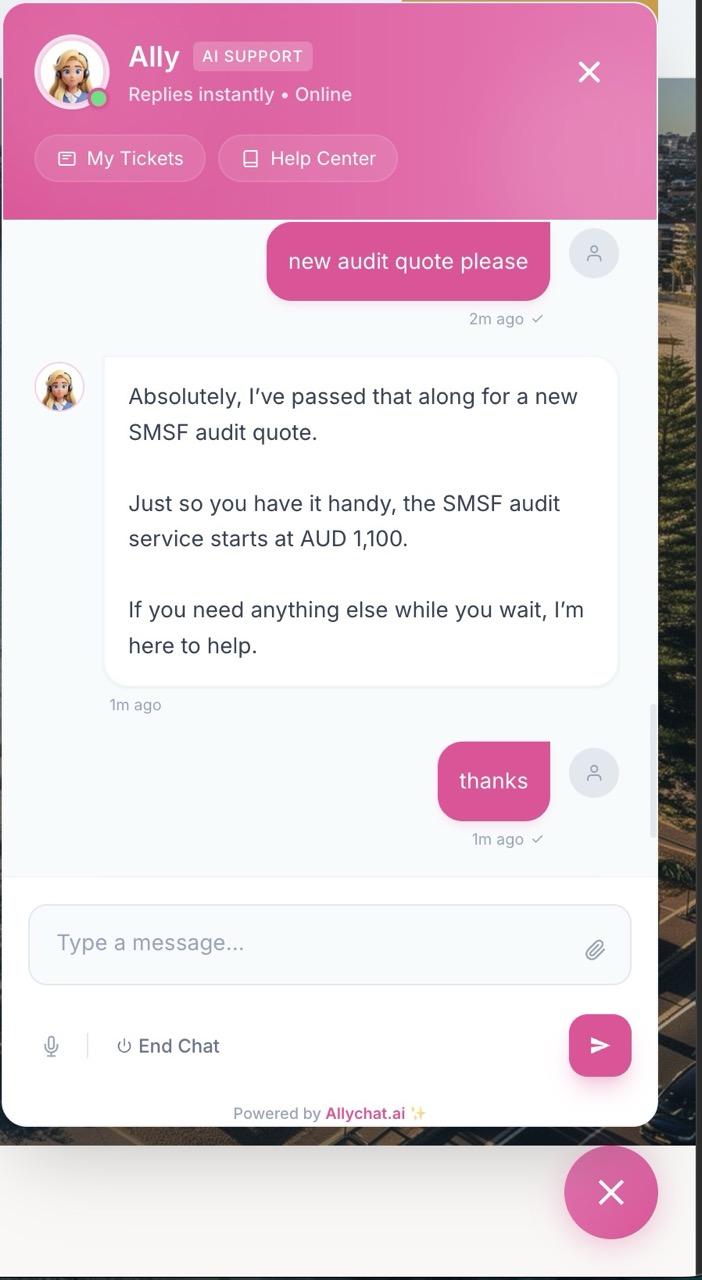
- Intent — What the visitor is looking for (e.g., "pricing inquiry," "product demo," "enterprise plan").
- Request Details — A summary of their specific requirements or what they need help with.
How it Feels to the Visitor
AllyBot prioritizes a smooth and non-intrusive experience for the visitor:
- No Forms: AllyBot does not present a form or ask all questions at once.
- Natural Integration: Questions are asked one at a time, blended into AllyBot's helpful responses. For example, after providing a product answer, it might say, "By the way, I'd love to make sure we can follow up — could I get your name?"
- Intelligent Skipping: If AllyBot already has a piece of information from the conversation (e.g., the visitor introduced themselves), it skips that specific question entirely.
- Contextual Re-asking: AllyBot can re-ask about Intent or Request Details if the conversation shifts—for instance, if the visitor started asking about one product but is now interested in something completely different.
What Happens Once All 5 Pieces Are Collected
Once all five required pieces of information (Name, Email, Company, Intent, and Request Details) have been successfully collected, three things occur simultaneously:
- Telegram/Slack Notification
- A formatted message is sent to your connected channels.
- The message includes all five captured fields.
- It contains a direct link to the conversation in the dashboard.
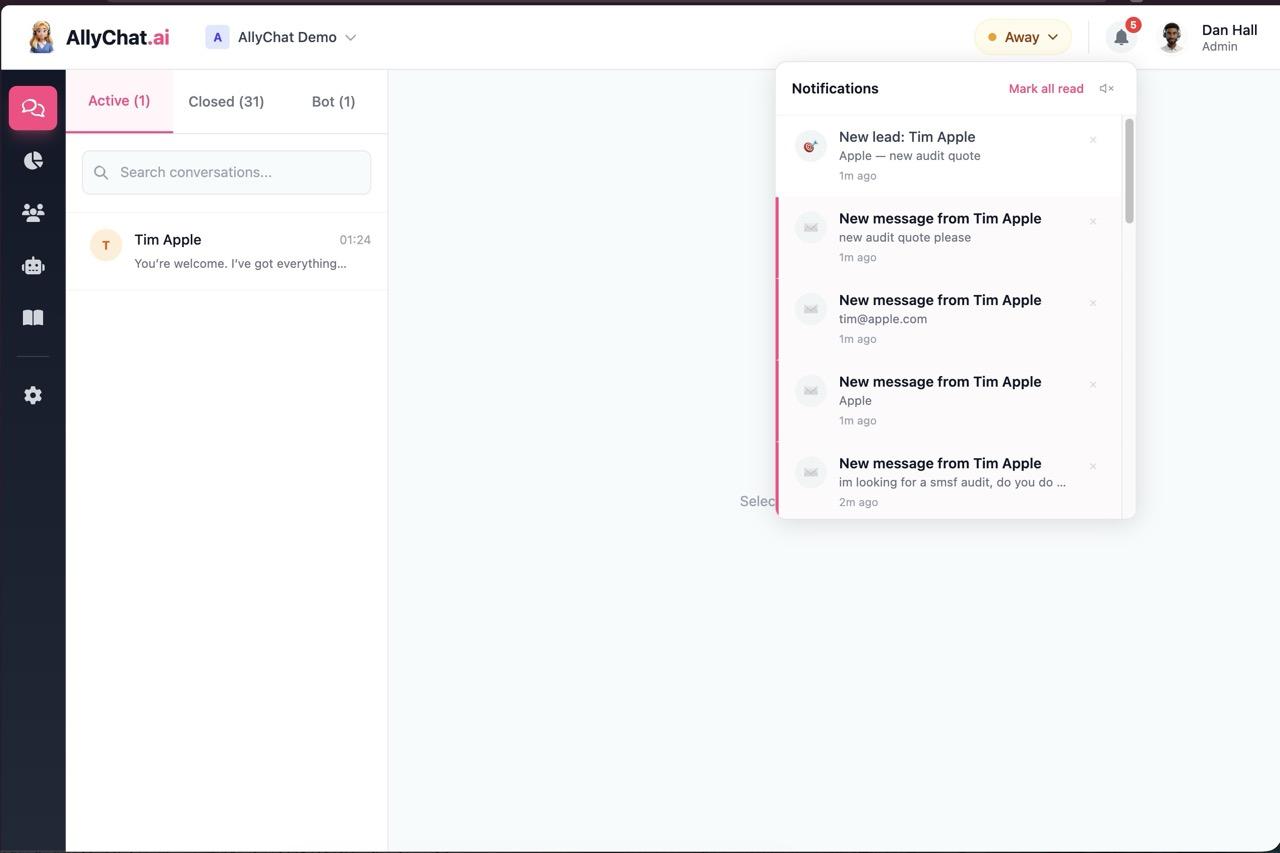
- Dashboard Notification
- Every workspace member receives a notification (via the bell icon).
- It shows up as a "New lead" with a target icon.
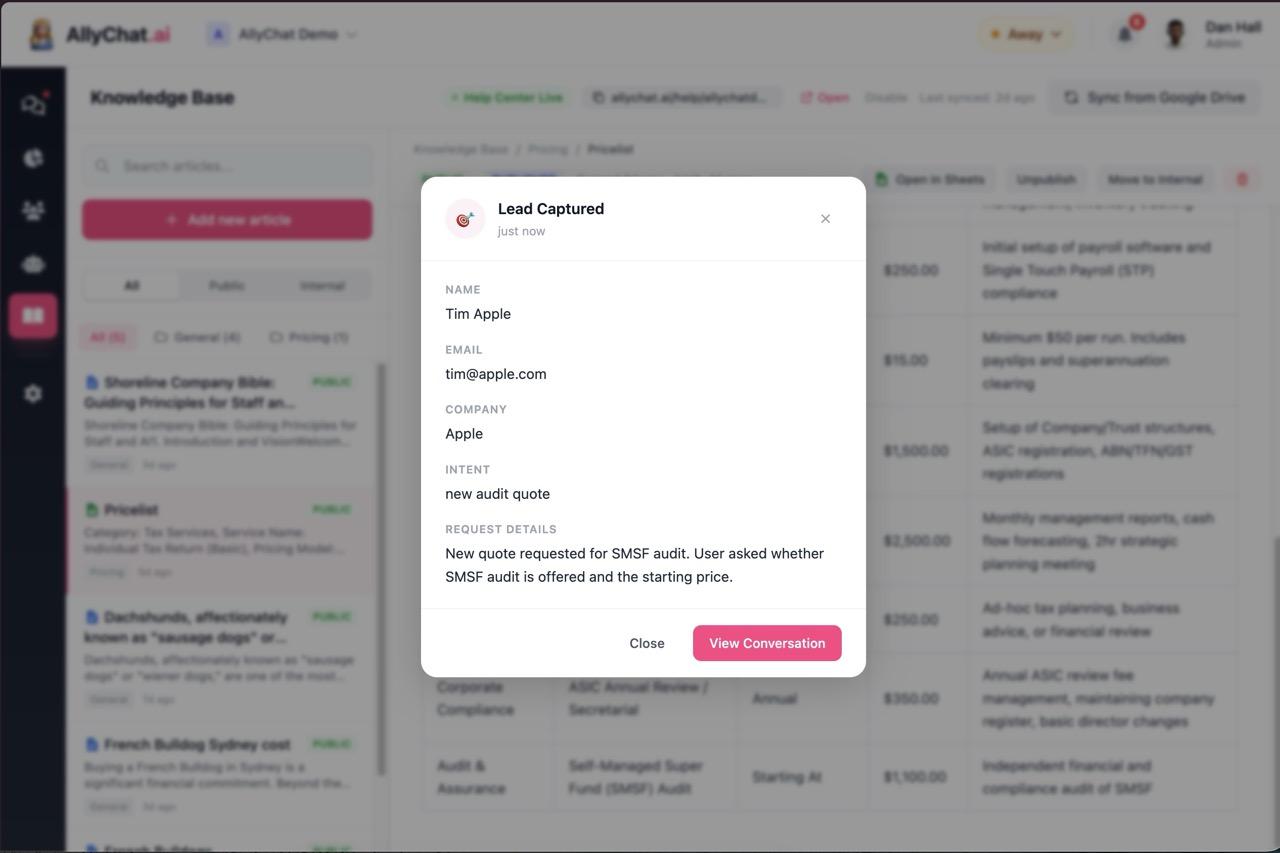
- Lead Detail Modal
- When any team member clicks the lead notification, a modal pops up instead of navigating directly to the conversation.
- The modal displays all five fields (Name, Email, Company, Intent, Request Details).
- It includes the timestamp of when the lead was captured.
- It has a "View Conversation" button to jump into the chat.
When Lead Capture Mode is Off
When Lead Capture Mode is turned off, AllyBot focuses exclusively on its core function:
- Standard Operation: AllyBot answers visitor questions as programmed.
- No Data Collection: It makes no attempt to collect any visitor contact or request information.